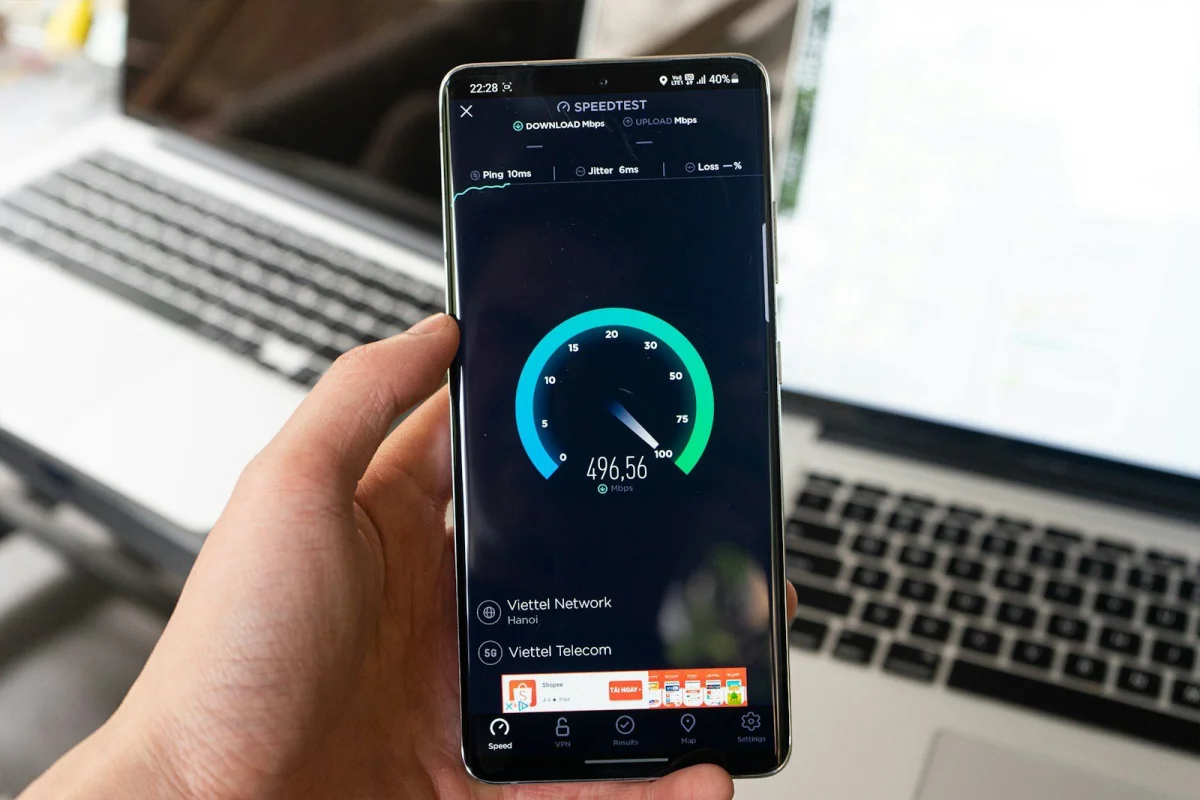
Gigabit broadband is the fastest consumer tier in most markets — and for most households, it's unnecessary
The UK, US, Australia, and most of Europe offer gigabit (1 Gbps) broadband in major urban areas. ISPs market it aggressively. Consumers upgrade to it without calculating whether it's actually needed for their household's actual usage patterns.
Understanding what bandwidth different activities actually require — and the relationship between upload speed and the modern remote work environment — produces more informed internet plan choices than ISP marketing does.
What bandwidth different activities actually require
Streaming video:
| Service | Quality | Bandwidth required |
|---|---|---|
| Netflix SD | 480p | 1 Mbps |
| Netflix HD | 1080p | 5 Mbps |
| Netflix 4K | 2160p | 15–25 Mbps |
| Disney+ 4K | 2160p | 25 Mbps |
| YouTube 4K | 2160p | 20–25 Mbps |
| Apple TV 4K (Dolby Vision) | 2160p HDR | Up to 40 Mbps |
A household with three simultaneous 4K streams needs about 75–120 Mbps of sustained download capacity. A 100 Mbps plan covers this comfortably; a 50 Mbps plan may struggle.
Video calls:
| Platform | Quality | Per call bandwidth |
|---|---|---|
| Zoom (HD video) | 720p | 1.8 Mbps download + 1.5 Mbps upload |
| Zoom (1080p) | 1080p | 3.8 Mbps + 3.0 Mbps |
| Microsoft Teams | 1080p | 4 Mbps + 3 Mbps |
| Google Meet | HD | 3.2 Mbps + 1.8 Mbps |
Two people in a household on simultaneous HD video calls: approximately 7–8 Mbps download + 5–6 Mbps upload.
Online gaming:
Gaming bandwidth requirements are frequently misunderstood. Active gameplay typically uses 1–3 Mbps — games send position and state data, not video streams. What matters for gaming is latency (ping) and consistency, not raw throughput.
Initial game downloads are large (modern games: 50–100+ GB) but are background operations.
Home working upload:
This is where asymmetric plans cause real problems. Most home broadband plans provide download speed several times higher than upload speed. As a rough example:
- 100 Mbps download / 20 Mbps upload (typical ADSL/FTTC plan)
- 500 Mbps download / 50 Mbps upload (FTTP fibre)
- 1 Gbps download / 100–900 Mbps upload (gigabit, varies by provider)
Upload-heavy activities:
- Video calls: 1.5–3 Mbps upload per call
- Screen sharing (high quality): 2–4 Mbps upload
- Uploading large files to cloud storage
- Backups (Time Machine, Google Backup & Sync): run continuously in background
- Live streaming/content creation: 6–20 Mbps upload for good quality
- Remote desktop to office: 2–5 Mbps upload
A household with two people working from home simultaneously, both on video calls with screen sharing, needs approximately 8–10 Mbps sustained upload. Most FTTC (fibre-to-the-cabinet) plans can provide this, but marginal ADSL connections in rural areas cannot.
Does anyone actually need gigabit?
Who benefits from gigabit:
- Households with 4+ heavy users simultaneously (multiple 4K streams, multiple video calls, large downloads)
- Content creators who upload large video files regularly
- Small businesses serving multiple employees over a home connection
- Technical users who frequently download large datasets, development containers, or system images
- Anyone whose work involves large file transfers (video production, architectural rendering, scientific data)
Who doesn't need gigabit:
- Single-person households or couples who don't work from home intensively
- Anyone primarily streaming and browsing
- Households whose bottleneck is WiFi (a gigabit connection to the router means nothing if the WiFi delivers 100 Mbps to devices)
The often-overlooked point: the bottleneck in most households is not the internet connection but either WiFi performance or the performance of the receiving server. Downloading from a server that can only send at 100 Mbps produces 100 Mbps throughput regardless of whether you have 100 Mbps or 1 Gbps broadband.
The broadband speed standards
Minimum adequate broadband:
- Ofcom (UK): universal service obligation (USO) provides right to request connection with minimum 10 Mbps download / 1 Mbps upload. "Decent broadband" threshold: 30 Mbps download.
- FCC (US): changed the broadband definition to 100 Mbps download / 20 Mbps upload in 2024 (up from the previous 25/3 standard).
- EU: Digital Decade goals target 1 Gbps coverage for all by 2030; near-universal gigabit coverage by 2025 in some markets.
ISP-advertised vs. real-world speeds: advertised speeds in the UK must be "average" speeds achievable by at least 50% of customers during peak hours (Ofcom rules since 2019). Average speeds in practice vary by technology:
- ADSL/VDSL (copper, to cabinet): 10–80 Mbps, depends heavily on line length
- FTTP/FTTH (fibre to the premises): more consistent, delivers close to advertised speed
- Cable (Virgin Media type): generally consistent at the purchased tier
- 5G home broadband: 100–600 Mbps average, variable
Running a meaningful speed test
To get a useful speed test result:
- Connect via ethernet (not WiFi) to remove WiFi as a variable
- Close other applications using bandwidth
- Test at multiple times of day — evening peak vs. overnight
- Test to a server in your city/region (reduces latency effects on throughput measurement)
Key numbers to check:
- Download speed vs. advertised
- Upload speed vs. advertised — often significantly lower than advertised
- Latency/ping — should be under 20ms to a local server on a good connection
- Jitter — should be under 10–15ms
How to use the Speed Test on sadiqbd.com
- Run the test — measures download, upload, and latency
- Compare to plan — are you getting near the advertised speed?
- Test multiple times — identify peak-hour vs. off-peak variation
- Test wired vs. wireless — to diagnose whether WiFi is the bottleneck
Frequently Asked Questions
Is 100 Mbps enough for a family of four? For a typical family (streaming in multiple rooms, occasional video calls, gaming): yes, 100 Mbps download is comfortably sufficient. The constraint is more likely WiFi performance than the internet connection itself.
Why is my upload speed so much slower than download? ISP infrastructure is optimised for asymmetric use — most household consumption is download (streaming, browsing). ADSL/VDSL technology is inherently asymmetric. Full-fibre (FTTP) connections offer more symmetrical speeds. This asymmetry is now misaligned with modern remote work patterns.
Is the Speed Test free? Yes — completely free, no sign-up required.
Choosing an internet plan based on what you actually use is straightforward once you know what each activity requires. For most households, 100–250 Mbps download and 20–50 Mbps upload covers all realistic use cases; gigabit is for heavy users and power users.
Try the Speed Test free at sadiqbd.com — measure your actual download, upload, and latency right now.