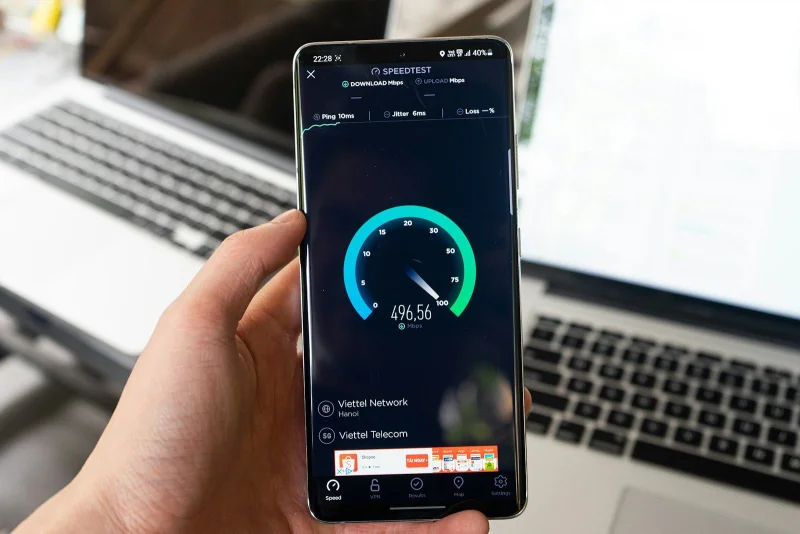
A speed test can show 300 Mbps download — and a video call can still stutter, because the speed test measures something that mostly doesn't matter for real-time applications, while ignoring something that matters a great deal
Bufferbloat is a network performance problem where latency under load increases dramatically — sometimes by hundreds or thousands of milliseconds — even on connections with high throughput (the number speed tests primarily measure). Understanding bufferbloat explains the common experience of "my speed test looks great, but video calls/gaming/everything feels sluggish when someone else is downloading something" — a pattern that throughput alone can't explain.
Throughput vs latency: two different things a connection can be "good" or "bad" at
Throughput (what speed tests primarily report — "download speed," "upload speed") measures how much data can be transferred per unit time — relevant for how long large transfers take (downloading a large file, streaming high-bitrate video).
Latency measures how long it takes for a single packet to travel from one point to another and (for round-trip latency, "ping") back — relevant for responsiveness: how quickly a video call's audio/video reflects what's happening right now, how quickly a game registers your input, how "snappy" loading a webpage feels for the initial connection/response (even if the page's total size could download quickly once the connection is responsive).
A connection can have high throughput and high (bad) latency simultaneously — and this is exactly what bufferbloat produces.
How buffers cause bufferbloat
Network equipment — routers, modems, switches — use buffers (memory used to temporarily hold packets) to handle situations where packets arrive faster than they can be sent out on the next link. This is generally a good thing in moderation: buffering smooths out brief bursts, preventing packet loss for short-lived spikes in traffic.
The problem: oversized buffers. If a buffer is much larger than necessary, and the network link becomes saturated (more data queued for sending than the link's capacity can handle in real-time), packets queue up in this oversized buffer — each packet waiting its turn. A packet sitting in a queue for hundreds of milliseconds before being sent has hundreds of milliseconds of added latency — even though it will eventually be sent (so throughput, measured over a longer period, might still look fine) — the latency for that packet, and for anything queued behind it, is dramatically worse than it would be on an unsaturated link.
Why oversized buffers became common: historically, packet loss was considered something to avoid strongly (dropped packets often required retransmission, which had its own performance costs) — leading equipment manufacturers to add increasingly large buffers, on the reasoning that "more buffer = fewer dropped packets." But TCP (the protocol underlying most internet traffic) has its own congestion-control mechanisms that rely on some packet loss (or, in modern implementations, latency increases) as signals to slow down — oversized buffers delay these signals, allowing TCP senders to keep sending more data than the link can actually handle in real-time, filling the oversized buffer further, compounding the latency problem. This dynamic — overly large buffers interacting poorly with TCP's congestion signals — is the core of "bufferbloat."
The concrete experience: why video calls suffer specifically
Video calls (and other real-time applications — VoIP, online gaming) are highly latency-sensitive — they need packets to arrive with low, consistent delay; a video call where audio/video data is delayed by 500ms (compared to an unloaded connection's perhaps 20-30ms) is a noticeably degraded experience (lag, choppiness), even if the total amount of data the video call needs per second is well within the connection's throughput capacity.
The triggering scenario: if another device/application on the same connection starts a large transfer (a big file download, a system update downloading in the background, someone else in the household starting a large upload) — this transfer can saturate the connection's throughput (using all available capacity in one direction) — and under bufferbloat conditions, this saturation causes the latency for everything else sharing that connection (including the video call) to spike dramatically, because all the traffic — the large transfer's packets and the video call's packets — are now queuing in the same oversized buffer.
This is why "someone started a download and now my video call is terrible" is such a common bufferbloat symptom — the download itself might complete in a perfectly reasonable time (throughput is fine) — but while it's happening, it's filling buffers that also delay the video call's packets.
Active Queue Management (AQM): the fix
AQM algorithms — implemented in router/modem firmware — actively manage buffer occupancy to prevent the bufferbloat scenario, by intelligently dropping or marking packets before buffers become severely overfull, providing TCP's congestion-control mechanisms with earlier signals to slow down — keeping actual buffer occupancy (and therefore latency) low, even when the link is fully utilized for throughput.
Common AQM algorithms:
- CoDel (Controlled Delay) — designed specifically to address bufferbloat by tracking how long packets are sitting in the buffer (rather than just buffer size), and dropping packets if queuing delay exceeds a target threshold
- fq_codel (Fair Queuing + CoDel) — combines CoDel with fair queuing (ensuring different traffic flows get fair access, preventing one large transfer from completely dominating the queue at the expense of other flows) — widely implemented in modern router firmware (including many consumer router firmware updates and most implementations of OpenWrt and similar open-source router firmware)
- CAKE (Common Applications Kept Enhanced) — a further development building on fq_codel, with additional features for managing bufferbloat in various scenarios
The practical effect of AQM: with properly configured AQM, a connection can be fully utilized for throughput (a large download proceeding at full speed) while latency for other traffic (a video call, gaming) remains low — because the AQM algorithm is actively preventing the buffer from accumulating the large queuing delays that cause bufferbloat, rather than allowing buffers to fill up unboundedly.
Testing for bufferbloat specifically
Standard speed tests historically didn't test for bufferbloat — they measured throughput (and sometimes basic, unloaded latency) but didn't specifically measure how much latency increases under load.
Bufferbloat-aware speed tests (some modern speed test tools, including some versions of well-known speed test services, have added this) measure latency both with the connection idle and while the throughput test is actively running (saturating the connection) — reporting the difference as the bufferbloat indicator. A connection might show:
- Idle latency: 15ms
- Latency while downloading at full speed: 250ms
- This 235ms increase under load is the bufferbloat — a connection with good AQM might show idle latency of 15ms and loaded latency of 20-30ms (a much smaller increase), even at the same throughput numbers.
Grading systems: some bufferbloat-aware tests provide a letter grade (A-F or similar) specifically for the latency-under-load characteristic, separate from the throughput numbers — making it possible for a connection to have, say, "300 Mbps download, Grade F for bufferbloat" — explaining the "great speed test, terrible real-world experience" pattern.
What can be done: router/modem configuration and ISP factors
If your router/modem supports it: enabling AQM (sometimes labeled "Smart Queue Management," "QoS," or specific algorithm names like "CAKE"/"fq_codel" in router configuration interfaces, depending on the firmware) can directly address bufferbloat for traffic passing through that device.
SQM (Smart Queue Management) configuration typically requires specifying the actual link speed (the real-world throughput of your connection, which might be slightly different from the "advertised" speed) — AQM algorithms generally work by managing queue occupancy relative to the link's actual capacity, so an AQM configuration that's set to manage a much higher (or lower) speed than the link actually has won't be as effective.
Some of this is outside individual control: bufferbloat can occur at multiple points along a connection's path — your home router/modem is one point, but ISP-side equipment (and, for mobile/cellular connections, the cellular network's own queuing behaviour) can also contribute, and these aren't something an individual customer can directly configure. ISPs vary significantly in whether their network infrastructure has addressed bufferbloat on their end — a customer enabling AQM on their own router addresses bufferbloat at that router, but can't address bufferbloat occurring elsewhere along the path.
How to use the Speed Test on sadiqbd.com
- Run the test under different conditions — idle vs while another device is actively transferring data — comparing latency results specifically (not just throughput) reveals bufferbloat's practical impact
- For diagnosing "video calls are bad when someone else is using the internet": this is the classic bufferbloat symptom — testing latency under simultaneous load (rather than just throughput) is the relevant diagnostic, more so than re-testing throughput alone
- After enabling AQM/SQM on a router (if supported): re-testing latency-under-load can verify whether the configuration is having the intended effect (loaded latency closer to idle latency, even during a throughput-saturating transfer)
Frequently Asked Questions
Does a faster internet plan (higher advertised speed) fix bufferbloat? Not directly — bufferbloat is about queuing behaviour relative to the link's capacity, not about the absolute capacity itself. A higher-speed connection can somewhat reduce the practical impact of bufferbloat for some usage patterns (since it takes a larger transfer to fully saturate a higher-capacity link, meaning saturation — and the resulting latency spikes — might occur less often in typical usage) — but a higher-speed connection with poorly-configured (oversized) buffers and no AQM can still exhibit significant bufferbloat when it is saturated, just as a lower-speed connection can. AQM/SQM configuration is the more direct fix, independent of the connection's raw speed tier.
Is bufferbloat more of a problem for certain connection types (cable, fiber, DSL, cellular)? Bufferbloat can occur on any connection type where buffers are oversized relative to the link's capacity and AQM isn't in effect — historically, certain connection types (some cable modem configurations, for instance) have been more commonly associated with significant bufferbloat in various measurements/studies, but this is more about specific equipment/configuration choices common to a connection type at a given time, rather than an inherent property of the underlying technology — fiber connections, cable connections, and others can all exhibit bufferbloat if buffers are oversized and unmanaged, or can have minimal bufferbloat if properly configured with AQM.
Is the Speed Test free? Yes — completely free, no sign-up required.
Try the Speed Test free at sadiqbd.com — measure download, upload, latency, and check for bufferbloat under load.