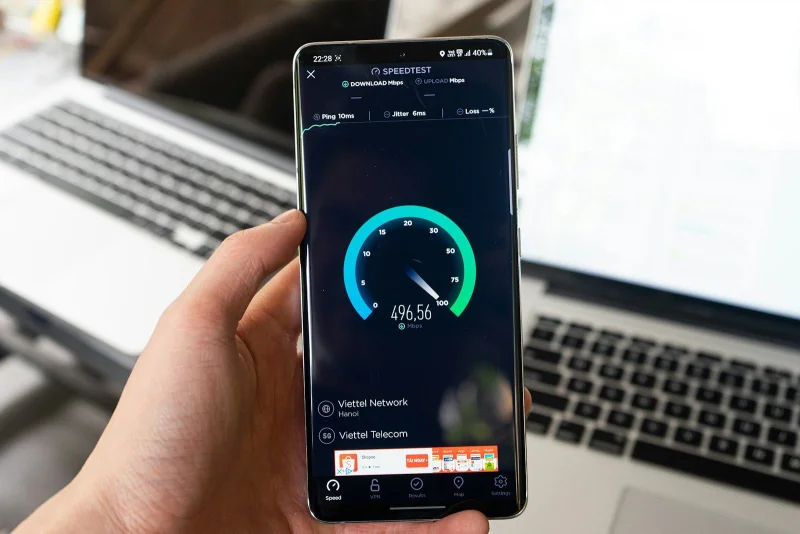
A website that scores 95 on a lab speed test can still feel slow to real users — because lab tests run on a powerful server with a fast connection and no other tabs open, and real users are on phones, on 4G, with a dozen tabs open, loading your site for the first time with an empty cache
The previous articles on this site covered what a website speed test measures, score discrepancies between tools, bufferbloat, and streaming bandwidth requirements. This article focuses squarely on website performance — specifically the gap between lab scores and real-user experience, and the most impactful technical factors that separate websites that feel fast from websites that merely score well.
Lab data vs field data: two different measurements of the same site
Lab tests (what website speed test tools run, including Google Lighthouse, WebPageTest, GTmetrix, and similar) simulate a page load under controlled, defined conditions: a specific device type, a specific network speed, a specific geographic location, a cold cache (no previously cached resources). The test is reproducible and comparable across sites — that's its value.
Field data (Real User Monitoring — RUM) captures actual page loads from actual visitors: their real devices, real network connections, real geographic locations, real cache states. Chrome's CrUX (Chrome User Experience Report) dataset, and Google's Core Web Vitals field data in Search Console, are examples of field data.
The gap between the two: a site might score 90 in a lab test simulating a mid-tier Android device on a simulated "Fast 3G" connection — but if most of its real users are on low-end Android devices on actual 3G in emerging markets, real-user performance may be substantially worse. Conversely, a site with a "poor" lab score might serve primarily desktop users with fast connections who experience it as very responsive.
Neither is "better" — they answer different questions: lab data tells you what can be improved; field data tells you what real users actually experience. Using both together gives the most accurate picture.
The three Core Web Vitals: what they actually measure
Google's Core Web Vitals are the most widely referenced website performance metrics, and it's worth understanding what each specifically measures rather than treating them as abstract scores:
LCP (Largest Contentful Paint): the time until the largest visible content element (usually the hero image, a large heading, or the main content block) finishes loading. LCP measures perceived load completion — when a user feels the page is "there." Target: under 2.5 seconds.
INP (Interaction to Next Paint): the typical delay between a user interacting (clicking, tapping, typing) and the page visually responding — measuring how responsive the page feels during use. INP replaced FID (First Input Delay) in 2024. Target: under 200ms.
CLS (Cumulative Layout Shift): a measure of how much the page layout unexpectedly shifts during loading — when content moves after the user has started reading, or a button shifts just as they're about to tap it. CLS captures that jarring "I was about to click something and it moved" experience. Target: under 0.1.
Why website speed test tools report these differently: lab-based tools can only estimate INP and CLS (since there's no real user interaction in a lab test), while field data from CrUX can capture these from millions of actual interactions. A tool reporting a "good INP score" from a lab test is making a synthetic estimate — field data is more authoritative for interaction-related metrics.
The specific factors that move LCP the most
LCP is where most optimization effort has the highest leverage, since it's the metric most correlated with whether a page feels loaded. The main drivers:
Server response time (TTFB — Time to First Byte): before any content can load, the browser must receive the first byte of the HTML response. Slow TTFB (server processing time, database queries, origin-to-CDN distance) sets a floor on LCP that no client-side optimization can overcome. A page with a 2-second TTFB cannot possibly have an LCP below 2 seconds, regardless of how optimized the rest of the page is.
The LCP element itself: in most cases, the LCP element is an image — a hero photo, a banner, a product image. Whether that image is:
- Appropriately sized for the viewport (not a 4000px wide image served to a 390px mobile screen)
- In a modern format (WebP or AVIF instead of JPEG — typically 30-50% smaller at equivalent quality)
- Served with
loading="eager"andfetchpriority="high"(ensuring the browser prioritizes it) - Discoverable from the initial HTML (not loaded via JavaScript after the initial HTML parse)
...is the single most impactful cluster of changes for most sites' LCP.
Render-blocking resources: JavaScript and CSS that block the browser from rendering anything until they're downloaded and parsed. A large CSS file or synchronous JavaScript in the <head> can delay when any content becomes visible. Deferring non-critical JavaScript, inlining critical CSS, and reducing stylesheet size directly improve LCP.
CLS: the metric most often broken accidentally
CLS violations are almost always caused by content that loads after the initial render and displaces existing content:
Images without explicit dimensions: if <img> tags don't specify width and height attributes, the browser doesn't know how much space to reserve until the image loads — so it renders the surrounding text first, then shifts everything down when the image arrives. Setting explicit dimensions (or using aspect-ratio CSS) prevents this shift.
Late-loading fonts: if web fonts load after the initial render, the browser may display text in a fallback font first, then re-render in the web font — shifting text dimensions if the fonts have different metrics. font-display: swap controls this behavior; pairing it with size-adjust CSS can match the fallback and web font metrics closely enough to eliminate shift.
Dynamically injected banners, cookie notices, and ads: content injected into the DOM above existing content after load (a cookie consent banner that pushes page content down, an ad slot that loads and expands) is a common source of high CLS scores. Reserving space for such elements in the initial layout (even before content is loaded) prevents the shift.
What different website speed test scores actually represent
Lighthouse score (0-100): a weighted aggregate of multiple performance metrics. The weighting changes periodically as Google updates Lighthouse — a page's score can change between Lighthouse versions without any change to the page itself. The score is useful as a trend indicator (is this page improving or degrading?) but the specific numeric value shouldn't be over-indexed.
WebPageTest "Waterfall": a timeline showing when each resource (HTML, CSS, JavaScript, images, fonts) started loading and when it finished — one of the most actionable visualizations for diagnosing what's slowing a page down. A long bar on a critical resource in the waterfall is a direct pointer to an optimization opportunity.
GTmetrix Grade: another weighted score, similar to Lighthouse in concept, with its own weighting of underlying metrics. Different tools can give meaningfully different scores to the same page — the previous article on this site covered why (different test locations, different simulated device/network, different metric weightings).
How to use the Website Speed Test on sadiqbd.com
- Test from the location your users are actually in — a fast score from a US data center isn't representative if your users are in Europe or Southeast Asia; geographical distance adds latency that laboratory conditions at a fixed location don't capture
- Focus on the specific metrics, not the aggregate score — a "poor" LCP on a good-scoring page is more actionable than knowing the aggregate score; fix the metric that's poor rather than trying to raise a score that may already be gaming the weighting
- Test with a cleared cache (cold cache) — first-time visitors always experience a cold cache; repeat visitors get the benefit of cached resources; the cold cache test reflects the experience that matters most for first impressions and bounce rates
- Compare before and after, not against arbitrary benchmarks — the most useful use of a speed test is measuring whether a specific change (image optimization, removing a script, enabling compression) improved or worsened performance on your specific pages, not achieving a target score in absolute terms
Frequently Asked Questions
Why does my website score differently on Lighthouse than on GTmetrix or WebPageTest? Each tool tests from different server locations, with different simulated device profiles, different network throttling settings, and different metric weightings. A page tested from a US east-coast server running a simulated mid-tier Android on "Fast 3G" will score differently than the same page tested from a European server on a desktop profile with a faster simulated connection. Neither score is "wrong" — they're measuring the same page under different representative conditions. For the most meaningful results, use a consistent tool and location for repeated tests, so you can track trends over time rather than comparing numbers between tools.
Is the Website Speed Test free? Yes — completely free, no sign-up required.
Try the Website Speed Test free at sadiqbd.com — test how fast any website loads, with Core Web Vitals breakdown and optimization insights.