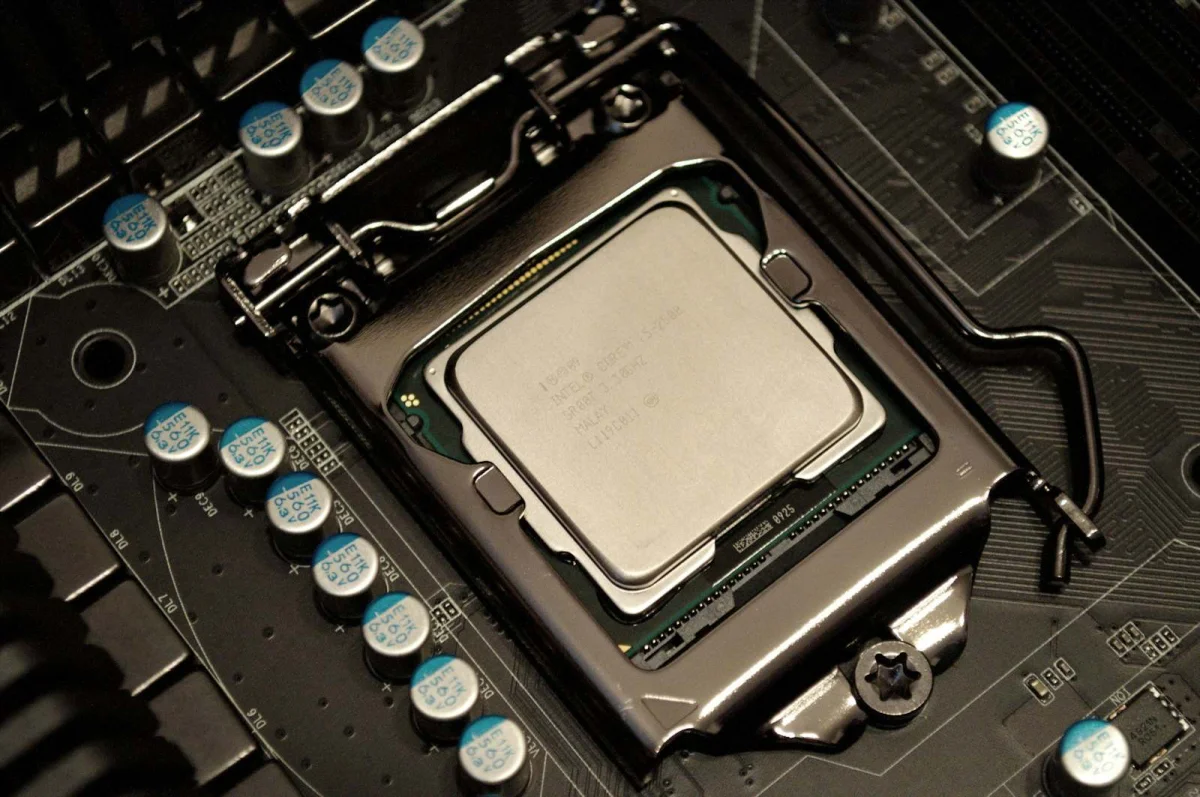
A "5.0 GHz" processor and a "3.5 GHz" processor — and the 3.5 GHz one can be faster, for many real workloads, because clock speed measures how many cycles happen per second, not how much work gets done per cycle, and "work per cycle" varies enormously between processor designs
The previous articles on this site covered the electromagnetic spectrum and frequency in audio/music. This article addresses a different, highly-practical application of frequency: CPU clock speed — measured in GHz (gigahertz, billions of cycles per second) — and why comparing processors by GHz alone is one of the most persistent, misleading simplifications in consumer computing.
What a "cycle" represents, and why "more cycles" doesn't mean "more work"
A CPU's clock speed (in GHz) indicates how many clock cycles occur per second — a "cycle" being, roughly, the basic "tick" that synchronizes the processor's internal operations.
However: how much actual computational work gets done per cycle varies significantly between different processor architectures (designs) — a single "instruction" (a basic operation — adding two numbers, moving data, etc.) might take one cycle on one architecture, but multiple cycles on a different architecture for "the same" instruction — or, conversely, some architectures can execute multiple instructions simultaneously, within a single cycle (a concept related to "instruction-level parallelism" and "superscalar" processor design).
"Instructions per cycle" (IPC) is a metric used to describe this — higher IPC means more work accomplished per cycle. A processor with lower GHz but higher IPC can complete more total work per second than a processor with higher GHz but lower IPC — GHz × IPC ≈ overall throughput (a significant simplification, but captures the core relationship) — meaning GHz alone is one factor of two (at least) that determine actual performance, and **comparing only GHz, across different architectures, ignores the other (often more significant, for modern processors) factor.
Why "GHz wars" were (somewhat) more meaningful, historically
In earlier eras of consumer computing, processors within a given "generation" (similar underlying architecture, from a given manufacturer, over a relatively short period) were often fairly similar in IPC — meaning, for processors of the same generation/architecture, GHz was a reasonably useful comparison metric — higher GHz, within that constrained comparison, did generally correspond to higher performance, fairly directly.
*This historical context is part of why "GHz" became a prominent marketing figure for consumer processors, for an extended period — and part of why "higher GHz = faster" became an intuitive, widely-held (and, at the time, not entirely unreasonable) consumer heuristic.
The heuristic breaks down when comparing across different architectures/generations — where IPC differences can be substantial — a newer-architecture processor at a lower GHz can, and often does, outperform an older-architecture processor at a higher GHz, for most workloads — because the newer architecture's higher IPC more than compensates for its lower GHz.
Multi-core: a second dimension that GHz alone doesn't capture
Modern processors typically have multiple "cores" — each core capable of executing instructions independently (to varying degrees, depending on how a given piece of software is designed to use multiple cores).
A processor's GHz figure describes each individual core's clock speed — it doesn't directly indicate "how many cores" — a "3.5 GHz, 8-core" processor and a "5.0 GHz, 4-core" processor represent very different total computational capacities, for workloads that can effectively use multiple cores ("parallel" workloads — many modern applications, particularly those involving video processing, 3D rendering, and certain types of data processing, are designed to split work across multiple cores).
For workloads that can't effectively use multiple cores ("single-threaded" workloads — some applications/tasks, by their nature, can't be meaningfully split across multiple cores, and run primarily on just one core at a time) — per-core performance (GHz × IPC, for that single core) is the more relevant figure — additional cores provide no direct benefit for such workloads (though they might allow other, background tasks to run on other cores, without competing for the same core the primary, single-threaded task is using).
"Turbo Boost" / dynamic frequency scaling: GHz that changes based on conditions
Many modern processors dynamically adjust their clock speed — running at a higher GHz for brief periods (under light, short-duration load, and when thermal/power conditions allow) and lower GHz under sustained, heavy load (to manage heat/power consumption).
A processor's "advertised" GHz figure might represent: a "base" frequency (a sustained-operation guarantee), a "boost"/"turbo" maximum (achievable only briefly, under favorable conditions), or — for some marketing contexts — the boost figure prominently displayed, with the base figure less prominent.
The practical implication: a single, static "GHz" number often doesn't fully represent how the processor actually operates across different workload types/durations — sustained, heavy-load tasks (video encoding, for example) might run closer to the "base" frequency (due to thermal/power constraints over time), while brief, light tasks (opening an application, a quick calculation) might benefit from "boost" frequencies — the "GHz" figure most relevant to "how will this processor perform for my use case" depends, to some degree, on what type of workload is being considered.
So how should processors be compared?
Given that GHz, IPC, core count, and dynamic frequency behavior all contribute to "real-world performance" — direct comparison via benchmarks (standardized tests measuring actual performance on specific, representative tasks) is generally far more informative than comparing any single specification (GHz, core count, etc.) in isolation.
Benchmarks come in various types — "single-core" benchmarks (relevant for single-threaded workloads), "multi-core" benchmarks (relevant for parallel workloads), and application-specific benchmarks (e.g., "how long does this specific video-editing software take to export this specific video") — choosing benchmarks relevant to your own intended use provides far more actionable information than any single specification figure, including GHz.
How to use the Frequency Converter on sadiqbd.com
- For unit conversion (Hz, kHz, MHz, GHz): the core function — useful for understanding the raw numbers involved in processor/component specifications
- When comparing processors: recognize that GHz conversion (e.g., "3500 MHz = 3.5 GHz") is a unit operation — it doesn't address the IPC, core count, or dynamic frequency factors that determine actual performance differences between different processors — for actual performance comparison, benchmark-based resources (beyond the scope of a unit-conversion tool) are the relevant next step
Frequently Asked Questions
If GHz alone isn't a reliable performance indicator, why do manufacturers still prominently display it? Partly historical inertia (as discussed — GHz was a more directly-meaningful comparison metric, historically, within constrained, same-generation comparisons) — and partly because some number needs to be displayed prominently, and GHz remains a familiar, easily-understood (if not fully accurate) figure for many consumers — manufacturers generally also provide core counts and (increasingly) encourage reference to third-party benchmarks — but the prominence of GHz in marketing materials doesn't necessarily reflect its actual importance, relative to other factors, for real-world performance — this gap between "prominently displayed" and "most informative" is, itself, part of why GHz-based comparisons remain a persistent, if increasingly-outdated, consumer heuristic.
Is the Frequency Converter free? Yes — completely free, no sign-up required.
Try the Frequency Converter free at sadiqbd.com — convert between Hz, kHz, MHz, GHz, and RPM instantly.