A traceroute shows the exact path your packets take through the internet — but the path the response takes back to you might be completely different, and traceroute only shows you one direction of a two-way conversation
The previous articles on this site covered how to read traceroute output, BGP routing, and MTR for diagnosing intermittent issues. This article addresses the ECMP (Equal-Cost Multi-Path) problem with traceroute — why consecutive traceroutes to the same destination can show different paths, and why this makes traceroute results more difficult to interpret than they appear.
What traceroute actually sends: ICMP or UDP probes with increasing TTL
Traceroute discovers the path to a destination by exploiting a property of IP routing: the TTL (Time to Live) field. Every IP packet has a TTL value that decrements by 1 at each router hop. When TTL reaches 0, the router discards the packet and sends an ICMP "Time Exceeded" message back to the sender — revealing that router's IP address.
Traceroute procedure:
- Send a probe packet with TTL=1 → the first router decrements TTL to 0 and sends back "Time Exceeded" → reveals hop 1
- Send a probe packet with TTL=2 → gets past hop 1, reaches hop 2 with TTL=1, decremented to 0 → reveals hop 2
- Continue until the destination is reached (it responds to the probe rather than sending "Time Exceeded")
The probe type varies by implementation:
- Unix/Linux
traceroute: UDP packets by default, port 33434+ - Windows
tracert: ICMP Echo Request packets - Modern tools and options: TCP SYN packets to specific ports, allowing traceroute through firewalls that block UDP/ICMP
ECMP: why the same destination can have multiple equal-cost paths
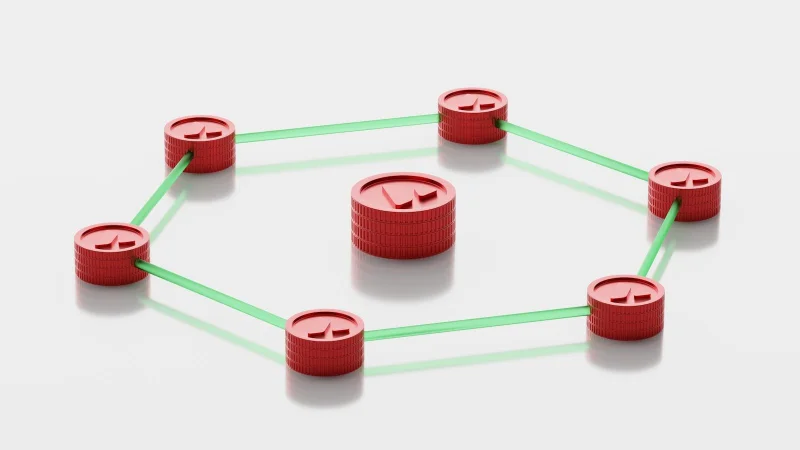
Large networks don't have a single path between any two points. For redundancy and load balancing, carriers and large networks configure Equal-Cost Multi-Path (ECMP) routing — multiple paths to the same destination, all considered equally optimal, with traffic distributed across them.
How traffic is assigned to paths: routers performing ECMP typically hash the packet's flow tuple (source IP, destination IP, protocol, and often source/destination ports) to consistently assign the same flow to the same path — ensuring packets within one TCP connection stay on one path (avoiding out-of-order delivery), while different connections get distributed across paths.
The traceroute consequence: because each traceroute probe (different TTL values, potentially different source ports) may look like a different "flow" to the network, consecutive probes may take different paths through the ECMP network — causing the traceroute output to show "different" hops at the same position, when what's actually happening is that different probes went through different paths in a multi-path network.
Paris traceroute: solving the ECMP consistency problem
Paris traceroute (named after the research group that developed it) addresses the ECMP inconsistency by ensuring all probes for a single traceroute are treated as the same flow by the network:
The technique varies the TTL (as normal) while keeping the IP flow identifier constant (fixing the source port, checksum fields, or packet identifier in ways that networks use for ECMP hashing). This way, every probe in the traceroute follows the same ECMP path — giving a consistent view of one specific path rather than a confusing mix of multiple paths.
Many modern traceroute tools offer Paris traceroute mode — the --paris flag in some implementations, or as a default in tools like Dublin Traceroute. The original traceroute and tracert commands don't implement this by default.
Asymmetric routing: when the reverse path is completely different
A traceroute from your machine to a server shows the forward path — the path your packets take to reach the server. But network communication is bidirectional: the server's responses travel back to you on a reverse path that may be completely different.
Why paths differ in each direction:
- Your ISP and the destination's ISP make independent routing decisions
- BGP policy (the routing protocol of the internet) may cause traffic to flow asymmetrically — your packets might travel via one carrier, while return traffic travels via a different carrier
- The destination network may have ECMP or policy-based routing that selects different paths for outbound traffic
Practical consequence: if you see high latency or packet loss on a specific traceroute hop, you can't tell from traceroute alone whether the problem is affecting outbound traffic (your packets to the server) or inbound traffic (the server's responses back to you). The problem you observe might be in the return path, which traceroute doesn't show.
Firewalls and missing hops: the * * * pattern
When a hop shows * * * (no response), three explanations are possible:
-
The router at that hop drops ICMP Time Exceeded messages but forwards the packet — so the route continues, but this hop is invisible. Common for transit routers that deprioritize ICMP generation.
-
Rate limiting: the router does generate ICMP Time Exceeded but rate-limits them — your probe didn't get a response within the timeout, not because the router doesn't respond but because it was responding to other things.
-
Actual packet loss: the probe was actually lost at this hop.
The key diagnostic: if the destination is eventually reached (the traceroute completes), * * * hops in the middle are almost certainly explanation 1 or 2 — the route is working, but intermediate ICMP responses are filtered. If the traceroute stops at a * * * hop and never reaches the destination, the packet loss is more likely genuine.
How to use the Traceroute tool on sadiqbd.com
- Look at the full path, not individual hops — a high-latency hop that's followed by normal-latency hops isn't the bottleneck; latency accumulates, so a later hop that's lower latency than an earlier hop means the "high" earlier hop was ICMP response delay, not actual path latency
* * *in the middle is usually not a problem — if the destination is reached, intermediate non-responding hops are common and not concerning- For intermittent problems: the previous MTR article's guidance applies — a single traceroute snapshot doesn't reveal intermittent packet loss or jitter; continuous monitoring (MTR) over time does
Frequently Asked Questions
Why does traceroute sometimes show different results each time I run it to the same destination? ECMP routing, as described. Different probes may take different paths through a network that has multiple equal-cost routes — causing the hops shown to vary between runs. This is normal behavior for large carrier networks, not evidence of network instability. If you want consistent path results for diagnostic purposes, use a Paris-traceroute-mode tool that constrains all probes to the same ECMP path.
Is the Traceroute tool free? Yes — completely free, no sign-up required.
Try the Traceroute tool free at sadiqbd.com — map the network path to any host and find per-hop latency.